




Loading market data...
Latest Top News
 Show more
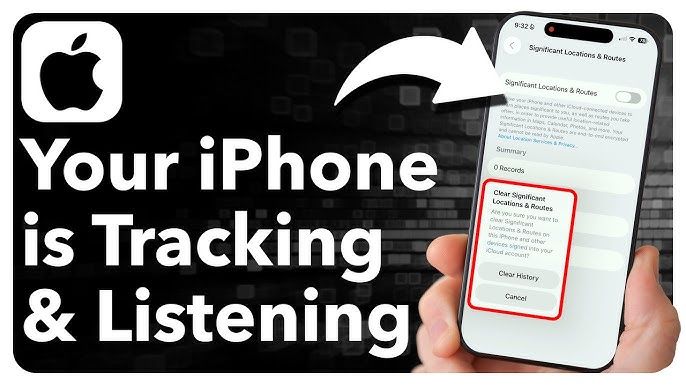
Dot Watch: How Your iPhone Tells You Who’s Listening and Tracking
From Dots to Data: iPhone’s Built-In Privacy Tools Help You Spot Snooping Apps
In an era of digital surveillance and data harvesting, Apple’s iPhone stands out for its privacy-first design, offering users clear ways to detect when apps are listening in or tracking their location. Whether you're worried about your microphone being accessed or your whereabouts being logged, iOS provides real-time visual cues and deep settings control to keep your data safe.
Key Highlights to Spot Listening and Tracking Apps:
Real-Time Privacy Indicators
A green dot in the top-right corner of your screen means an app is using the camera.
An orange dot signals that the microphone is active.
These indicators appear whenever an app accesses these features—even in the background.
Location Tracking Alerts
A hollow arrow icon shows that an app may use your location under certain conditions.
A solid arrow means your location is actively being tracked.
You can view which apps accessed your location recently in Settings > Privacy & Security > Location Services.
App Privacy Report
Navigate to Settings > Privacy & Security > App Privacy Report to see a detailed breakdown of:
Which apps accessed your microphone, camera, and location
When they accessed it
What domains they contacted
This report helps you spot suspicious or excessive data usage.
Managing Permissions
Go to Settings > Privacy & Security to manually control app permissions.
You can toggle access to the microphone, camera, location, and more for each app.
For location, choose between Never, Ask Next Time, While Using the App, or Always.
Cross-App Tracking Control
iOS allows you to block apps from tracking you across other apps and websites.
Find this under Settings > Privacy & Security > Tracking and disable tracking for individual apps or globally.
Apple’s privacy features empower users to take control of their digital footprint—because awareness is the first step to protection.
Sources: Times of India, Times Now
Stay Ahead – Explore Now! The Outsider Who Shook Bihar’s Political Dynasty: Sanjay Yadav’s Rising Storm in RJD
ADVERTISEMENT

Latest Updates

Sunil Gavaskar Sounds Alarm As Chennai Super Kings...
27 minutes ago
Reality Reigns Again: Bigg Boss Champion Gaurav Kh...
58 minutes ago


Top Stories
Sunil Gavaskar Sounds Alarm As Chennai Super Kings...
27 minutes ago